
A students marks calculator is one of the simplest and most useful tools a learner can have. Whether you are in school, college, or university, knowing exactly where you stand in every subject helps you plan your studies, reduce exam stress, and set realistic goals. Instead of struggling with long additions, divisions, and grade tables, a students marks calculator gives you accurate results in a few seconds.
In this complete guide, you will learn what a students marks calculator is, how it works, the formulas behind it, how to use it step by step, and how to turn your results into better grades. By the end, you will also know how to build a basic calculator yourself in a spreadsheet.
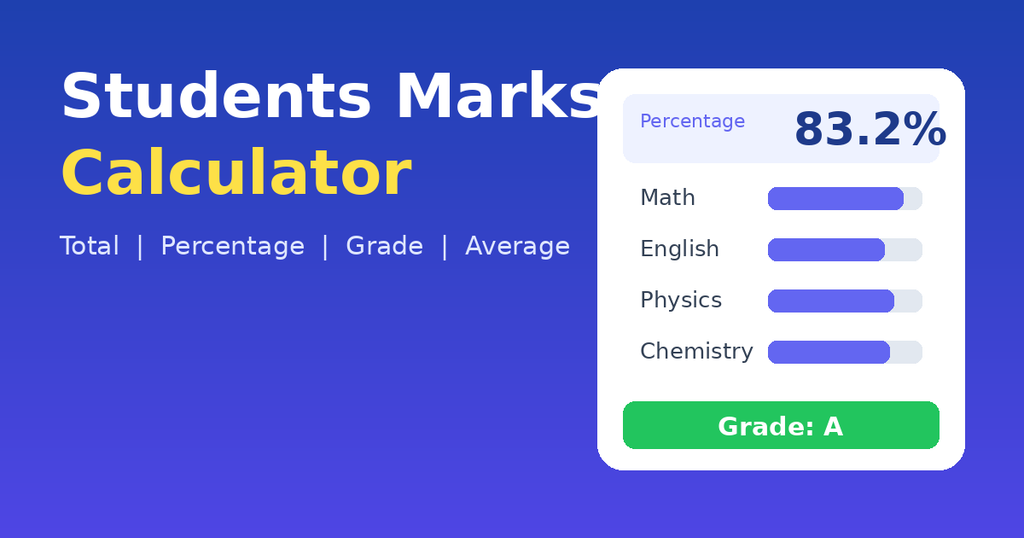
What Is a Students Marks Calculator?
A students marks calculator is an online or offline tool that takes the marks a student has scored in different subjects and automatically works out useful results. These usually include:
- Total marks obtained
- Percentage
- Average marks
- Grade or grade point (GPA)
- Pass or fail status
- Marks still needed to reach a target
Some calculators are simple and handle only totals and percentages. Others are advanced and support weighted assessments, multiple semesters, and different grading systems used by various boards and universities.
Why Every Student Needs a Marks Calculator
Many students wait until the result card arrives to find out how they performed. That is a missed opportunity. When you use a students marks calculator throughout the term, you can see your progress early and act on it. Here are the main reasons it matters.
1. It Saves Time
Manual calculation takes time, especially when you have six or more subjects with different maximum marks. A calculator does the work instantly.
2. It Reduces Mistakes
A small addition error can change your percentage or grade. A students marks calculator removes human error and gives dependable results.
3. It Helps You Set Goals
If you want 85 percent overall, the calculator can show how many marks you need in the remaining exams. This turns a vague wish into a clear target.
4. It Builds Confidence
Seeing your progress in numbers shows you what is working. It also shows which subjects need more attention, so you can study smarter instead of harder.
5. It Helps with Admission Planning
Colleges and universities often ask for minimum percentages or GPA. Knowing your result early helps you choose the right programs and apply on time.
How a Students Marks Calculator Works: The Basic Formulas
Understanding the math behind a students marks calculator makes you a smarter user. The core formulas are very simple.If you want to revise how percentages work, free lessons on https://www.khanacademy.org are a great place to start.
- Total Marks Obtained = Sum of marks scored in all subjects
- Total Maximum Marks = Sum of the maximum marks of all subjects
- Percentage = (Total Marks Obtained ÷ Total Maximum Marks) × 100
- Average Marks = Total Marks Obtained ÷ Number of Subjects
Worked Example
Suppose a student has the following results:
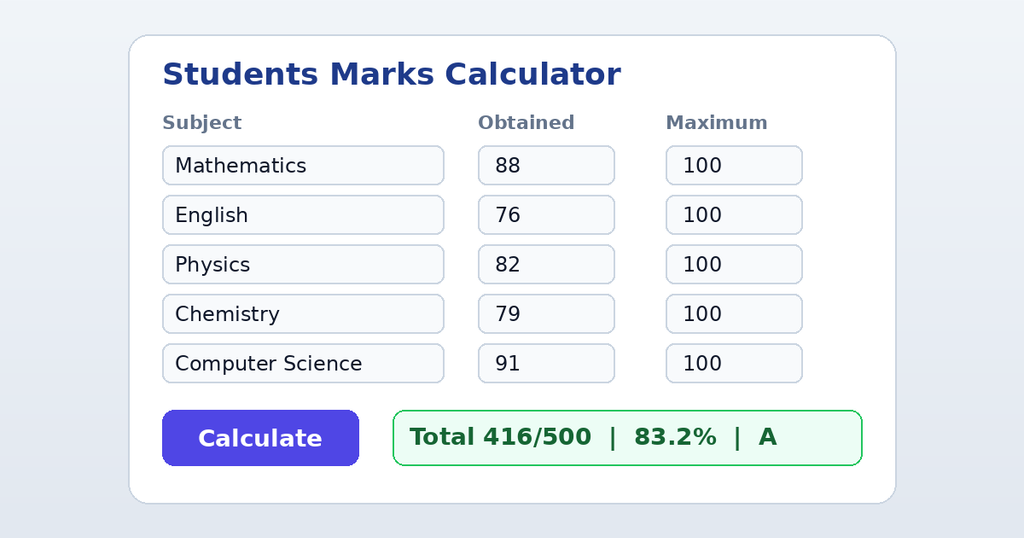
| Subject | Marks Obtained | Maximum Marks |
|---|---|---|
| Mathematics | 88 | 100 |
| English | 76 | 100 |
| Physics | 82 | 100 |
| Chemistry | 79 | 100 |
| Computer Science | 91 | 100 |
| Total | 416 | 500 |
Percentage = (416 ÷ 500) × 100 = 83.2%
Average marks = 416 ÷ 5 = 83.2 marks per subject
A good students marks calculator performs these steps instantly and shows the final grade next to the percentage.
How to Use a Students Marks Calculator Step by Step
Using a students marks calculator is easy, even if you have never used one before. Follow these steps.
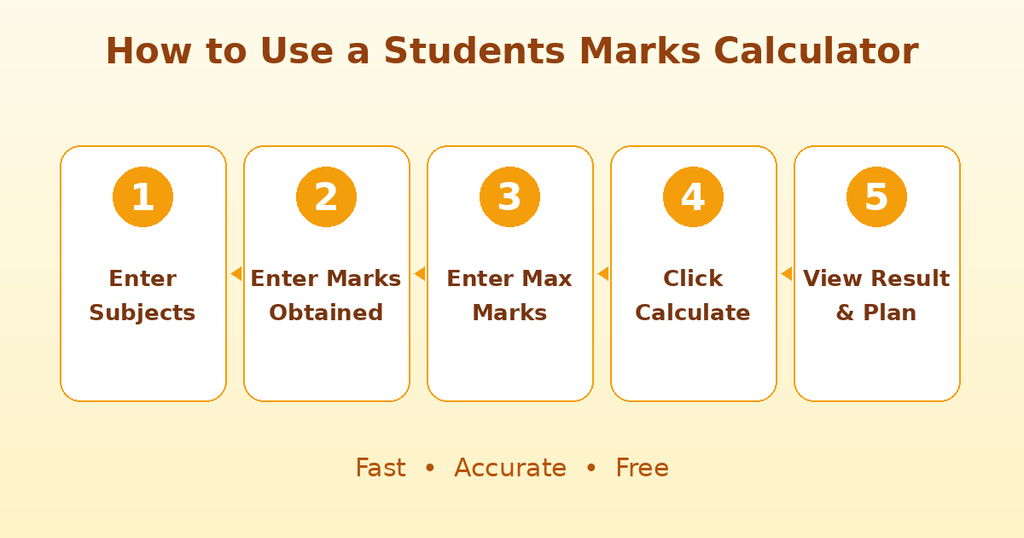
- Open the calculator. Choose a reliable online tool or open your own spreadsheet.
- Enter subject names. Add each subject you want to include, such as Math, Science, or History.
- Enter marks obtained. Type the marks you scored in each subject.
- Enter maximum marks. Add the total marks for each paper, since they may not always be 100.
- Click calculate. The tool shows your total, percentage, average, and grade.
- Review and plan. Check which subjects pull your percentage down and decide where to put more effort.
Weighted Marks: When Subjects or Exams Count Differently
Not all assessments carry equal value. In many schools and universities, final exams count for more than quizzes or assignments. A good students marks calculator supports weighted marks so your result reflects the real grading policy.
The formula is:
Weighted Score = (Marks ÷ Maximum Marks) × Weight
Add up all weighted scores to get your final course score.
Weighted Example
| Assessment | Marks | Maximum | Weight | Weighted Score |
|---|---|---|---|---|
| Assignments | 18 | 20 | 20% | 18.0 |
| Midterm Exam | 34 | 50 | 30% | 20.4 |
| Final Exam | 68 | 100 | 50% | 34.0 |
| Final Score | 100% | 72.4% |
Without weighting, a simple average would give a different and misleading answer. This is why a students marks calculator with weighted options is so valuable for college and university students.
Understanding Grades and Percentage Ranges
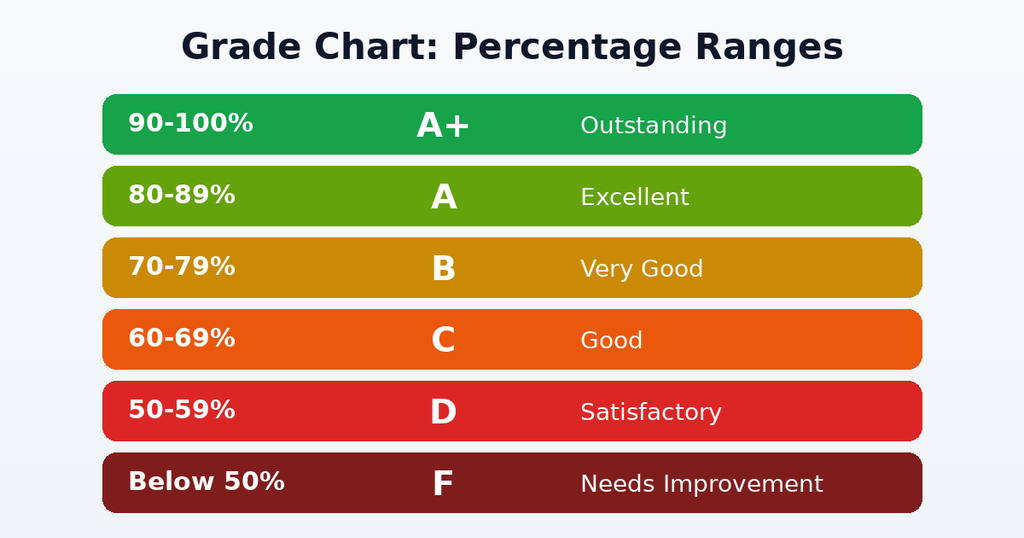
After calculating the percentage, the next step is converting it into a grade. Grading systems differ across countries and institutions, so always check your own board or university policy. The table below shows a common example.
| Percentage | Grade | Remark |
|---|---|---|
| 90–100% | A+ | Outstanding |
| 80–89% | A | Excellent |
| 70–79% | B | Very Good |
| 60–69% | C | Good |
| 50–59% | D | Satisfactory |
| Below 50% | F | Needs Improvement |
Most online students marks calculator tools let you select your grading scale so the result matches your institution.
Key Features of a Good Students Marks Calculator
Not every calculator is equally helpful. When choosing one, look for these features.
- Simple, clean interface: You should be able to use it without instructions.
- Multiple subjects: The ability to add or remove subjects freely.
- Custom maximum marks: Support for papers that are not out of 100.
- Weighted calculation: Essential for courses with assignments, projects, and exams.
- Grade and GPA conversion: Automatic conversion based on your grading scale.
- Target marks feature: Shows what you need in upcoming exams to reach a goal.
- Mobile friendly design: Works smoothly on phones and tablets.
- Privacy: Does not require personal information.
- Free access: Basic features should not be locked behind payment.
Benefits for Teachers and Parents
A students marks calculator is not only for students. Teachers can use it to prepare result sheets quickly, check class averages, and identify learners who need extra support. This saves hours of manual work at the end of every term.
Parents also benefit. They can follow their child’s progress, understand report cards, and have more useful conversations about strengths and weak areas instead of focusing only on a single final number.
Common Mistakes to Avoid When Calculating Marks
Even with a calculator, mistakes can happen. Watch out for these.
- Entering the wrong maximum marks. A paper out of 50 entered as 100 will lower your percentage.
- Ignoring weightage. Treating all assessments equally gives inaccurate results.
- Mixing grading systems. Do not combine percentage and GPA scales without proper conversion.
- Forgetting practical marks. Lab work and internal marks often count toward the final total.
- Rounding too early. Round only at the final step to keep the result accurate.
- Skipping verification. Always compare the calculator result with your official marksheet.
How to Improve Your Marks Using Your Results
Calculating marks is only the first step. The real value comes from using the data to improve.
Find Your Weakest Subjects
Sort your subjects from lowest to highest marks. The bottom two or three subjects usually offer the biggest chance for improvement.
Set a Target Percentage
Use the target feature of your students marks calculator to find the marks needed in the next exam. A clear number makes studying more focused.
Create a Study Plan
Give more time to weak subjects, but do not ignore strong ones. A balanced weekly timetable with short daily sessions works better than last-minute cramming.
Practice Past Papers
Solving previous exam papers improves speed, accuracy, and understanding of question patterns.
Ask for Help Early
If a topic confuses you, speak to your teacher, join a study group, or watch educational videos. Early help prevents small gaps from becoming big problems.
Track Progress Regularly
Update your calculator after every test or assignment. Watching your percentage rise is a great motivator.
Student reviewing results from a students marks calculator and planning a study schedule to improve grades.

How to Build a Simple Students Marks Calculator in Excel or Google Sheets
You do not need coding skills to create your own students marks calculator. A spreadsheet is enough.
- In column A, write the subject names.
- In column B, enter marks obtained.
- In column C, enter maximum marks.
- In the total row, use
=SUM(B2:B7)for marks obtained and=SUM(C2:C7)for maximum marks. - For the percentage, use
=(B8/C8)*100. - For the average, use
=AVERAGE(B2:B7). - For an automatic grade, use
=IF(B9>=90,"A+",IF(B9>=80,"A",IF(B9>=70,"B",IF(B9>=60,"C",IF(B9>=50,"D","F"))))), where B9 holds the percentage.
Once set up, you can reuse the sheet every term by simply replacing the marks.
Frequently Asked Questions About the Students Marks Calculator
Is a students marks calculator accurate?
Yes, as long as you enter the correct marks and maximum marks. The calculator only follows the formula, so accurate input gives accurate output.
Can I use it for any class or university?
Most calculators work for any level. For grades or GPA, make sure the tool supports your institution’s grading scale.
How do I calculate percentage if subjects have different maximum marks?
Add all obtained marks, add all maximum marks, divide the first total by the second, and multiply by 100. A students marks calculator does this automatically.
Can it tell me how many marks I need to pass?
Calculators with a target feature can. You enter your current marks, the passing percentage, and the remaining exam details to see what you need.
Is it safe to use online calculators?
Choose tools that do not ask for sensitive personal information. For marks calculation, you only need numbers, not your name or ID.
Are mobile apps better than web calculators?
Apps are convenient for daily tracking, while web calculators are quick for one-time use. Both work well if they are accurate and easy to use.
Final Thoughts
A students marks calculator is far more than a convenience. It gives you clarity, saves time, avoids calculation errors, and helps you take control of your academic journey. By understanding the formulas, using weighted calculations when needed, and tracking your progress regularly, you can turn raw numbers into a clear plan for success.
Start using a students marks calculator today. Enter your latest marks, see where you stand, and set one small goal for your next exam. Consistent effort, guided by clear data, is the surest path to better grades.
Leave a Reply